

Microsoft Is Killing EWS: Here's What Every Salesforce Admin Needs to Do Before October 2026
Updated July 8, 2026
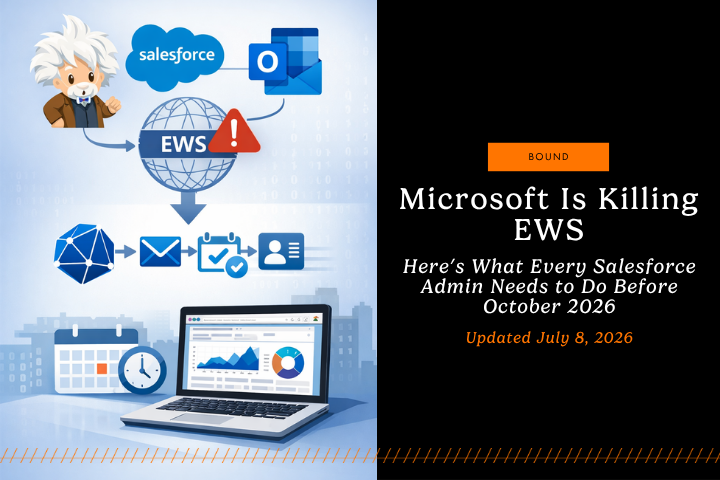
Starting October 2026, Microsoft is retiring Exchange Web Services (EWS) in Exchange Online, and Salesforce features that rely on EWS (Einstein Activity Capture, Salesforce Inbox, and Lightning Sync) must move to Microsoft Graph to avoid sync failures. Salesforce and Microsoft recommend completing the upgrade by August 3, 2026 to avoid disruption — start by identifying your connection type, securing Azure admin consent, testing in a sandbox, then upgrading and monitoring sync health.
What's Happening with EWS in Salesforce?
EWS has been the backbone of how Salesforce connects to Microsoft Office 365 mailboxes and calendars. Specifically, Salesforce uses EWS to power three critical features that your sales team likely depends on daily. Microsoft is phasing out EWS in favor of Microsoft Graph API, a more modern and secure authentication method.
This retirement isn't happening overnight, but it's important to understand the timeline and act now to avoid service disruption to your Salesforce environment.
One piece of good news: if your organization set up Einstein Activity Capture with Microsoft 365 any time from Spring '26 onward, it already authenticates through Microsoft Graph automatically — no action needed. The upgrade only applies to connections configured before Spring '26 on the older EWS protocol.
Which Salesforce Features Rely on EWS?
If your org uses Microsoft 365 with Salesforce, these are the big three:
Einstein Activity Capture (EAC)
EAC automatically captures emails, events, and contacts and associates them to the right Salesforce records. Without a Graph-based connection, that automatic capture can stop, which forces manual logging and lowers CRM data completeness. If your organization relies on sales activity tracking in Salesforce, this is critical to address immediately.
Salesforce Inbox
Inbox brings email productivity into Salesforce (send, track, log). Salesforce notes that Inbox orgs configured before Spring '26 may need a manual upgrade to Microsoft Graph, and users must reconnect their Microsoft accounts to complete the transition. For teams using emails like real activities in Salesforce, this tool is essential to your workflow and sales productivity.
Outlook Integration and Lightning Sync
Lightning Sync configurations using EWS will stop capturing or syncing data from Microsoft after EWS is retired, and Salesforce recommends planning for Microsoft Graph or moving from Lightning Sync to EAC, depending on your use case.
Why Salesforce Is Moving to Microsoft Graph API
Think of EWS like an old connector with limited future support. Graph is the new standard interface Microsoft is investing in.
- Security: Microsoft Graph uses modern authentication patterns and is the strategic direction for Exchange Online access.
- Long-term compatibility: Microsoft is retiring EWS in Exchange Online and positioning Graph as the supported alternative.
- Salesforce alignment: Salesforce explicitly directs customers to upgrade Office 365 authentication for EAC, Inbox, and Lightning Sync to Graph to avoid service disruption.
Key Dates
- August 3, 2026 — Recommended deadline to upgrade existing Microsoft 365 connections to Microsoft Graph. This is the date Salesforce and Microsoft recommend to avoid disruption, giving your team a buffer before the official retirement.
- October 2026 — Microsoft officially begins retiring EWS in Exchange Online. After this point, any Einstein Activity Capture, Inbox, or Lightning Sync connection still running on EWS stops syncing, sending, and receiving emails and events.
- April 2027 — Microsoft's permanent EWS shutdown. Confirm your environment isn't relying on any lingering EWS access by this point.
How to Upgrade Your Salesforce Microsoft Connection
Your upgrade path depends on how authentication is configured today.
1. Audit your current state (do this first)
In Salesforce Setup, identify:
-
- Which features you use: EAC, Inbox, Lightning Sync
- Whether you use an org-level connection or user-level connections
- Who owns the Microsoft side permissions and consent
- Your current authentication method — check Setup > Einstein Activity Capture > Settings
This audit prevents “silent failure” scenarios, where some teams keep syncing while others drop off.
2. Secure Azure admin consent
Before the upgrade can be completed, your organization's Azure admin needs to grant Microsoft Graph consent at the org level. This is a prerequisite step, not something that can be skipped or done later in the process — loop in your Azure admin early so it doesn't become the bottleneck against the August 3 deadline.
3. Confirm your Microsoft Graph licensing
Check that your organization holds the required Outlook Microsoft Graph licenses for each feature you use — Outlook Integration, Inbox, and Einstein Activity Capture. Missing licenses are a common cause of stalled upgrades, so confirm this alongside your audit rather than after you've started the technical work.
4. Test the Microsoft Graph connection in a sandbox
Before production:
-
- Validate email capture, calendar sync, and contact behavior
- Confirm user reconnection requirements (common for Inbox upgrades)
- Spot downstream impacts on reporting, dashboards, and activity KPIs
If your org has multiple integrations, treat testing as mandatory, not optional.
5. Upgrade based on your feature set
If you use Einstein Activity Capture: once Azure consent and licensing are confirmed, complete the authentication upgrade directly from Salesforce Setup under Einstein Activity Capture > Settings, following Salesforce's Graph upgrade guidance for Office 365 authentication method changes.
If you use Salesforce Inbox: Salesforce provides an upgrade flow in Inbox Setup Assistant, and notes users must reconnect after the upgrade.
If you use Lightning Sync: Salesforce advises planning for Graph and evaluating options, including moving from Lightning Sync to EAC where appropriate.
6. Monitor after the upgrade (72 hours minimum)
Track:
-
- Email sync and capture volume
- Event creation and calendar appearance
- Error rates and sync failures
- Rep workflow friction (time in Salesforce, activity logging rates)
Set alerts where possible so failures surface fast.
What Happens If You Don't Upgrade Your Salesforce Connection?
If you don't upgrade before EWS is fully retired, you'll experience significant service disruptions in Salesforce:
- Einstein Activity Capture (EAC) stops syncing emails, events, and contacts from mailboxes to Salesforce, reducing automatic visibility into customer interactions.
- Manual activity logging becomes required, which typically lowers Salesforce adoption and weakens CRM data quality.
- Salesforce Inbox features become unavailable, pushing reps to manage email outside Salesforce or adopt alternative tools and workflows.
- Outlook Integration and Lightning Sync stop working, breaking two-way sync between Outlook calendars and Salesforce records.
- More manual updates across systems increase inefficiency and create a higher risk of data gaps and inconsistencies in Salesforce.
- Downstream impact includes reduced sales productivity, lower forecast accuracy, and declining Salesforce data quality, so proactive planning is critical.
In practical terms: fewer logged activities, weaker pipeline hygiene, and forecasting that relies more on rep memory than system evidence.
Best Practices for a Smooth Salesforce Migration
- Communicate early: share the “what,” “when,” and “who needs to act,” especially if users must reconnect accounts.
- Line up Azure consent and licensing first: neither the technical audit nor sandbox testing can finish without them, so confirm both before you commit to a timeline.
- Test in sandbox first: validate sync behavior before production cutover.
- Document your setup: connected apps, permission scopes, integration owners, and affected teams.
- Track integrations centrally: keep a simple inventory of Microsoft-related connections and dependencies.
- Monitor and alert: watch sync health closely right after the upgrade.
- Train to the workflow: show reps what changes (or what does not) inside Salesforce and Outlook.
FAQs
Does EWS retirement affect on-premises Exchange Server?
Microsoft’s retirement is focused on Exchange Online (Microsoft 365), not necessarily on-prem Exchange Server in the same way. Confirm your environment and plan accordingly.
Which Salesforce tools need Microsoft Graph?
Salesforce calls out Einstein Activity Capture, Salesforce Inbox, and Lightning Sync as impacted features that should upgrade authentication to Microsoft Graph.
What's the recommended deadline to upgrade?
Salesforce and Microsoft recommend completing the upgrade by August 3, 2026, well ahead of the October 2026 retirement, to avoid any disruption to email and calendar sync.
Will users need to reconnect their Microsoft accounts?
For some Inbox configurations, Salesforce states users must reconnect after the admin upgrades to Graph.
When is Microsoft retiring EWS for Exchange Online?
Microsoft’s retirement begins October 2026, with a permanent shutdown in April 2027.
Do I need to upgrade Salesforce Inbox to Microsoft Graph?
Yes, if Inbox is using EWS, you’ll need to upgrade to Microsoft Graph to avoid disruptions. Older configurations may require a manual upgrade, and users will likely need to reconnect their accounts.
How do I upgrade Salesforce EAC from EWS to Microsoft Graph?
Confirm your current authentication method in Setup > Einstein Activity Capture > Settings, then have your Azure admin grant Microsoft Graph consent for the organization. Once consent is in place, complete the upgrade from the same Settings page and reauthorize the integration, following Salesforce's guided update steps. Test in a sandbox to confirm email and calendar capture and monitor sync closely after going live.
Next Steps for Your Salesforce Organization
- Identify which teams use EAC, Inbox, and Lightning Sync.
- Confirm your current authentication method and connection type.
- Get Azure admin consent for Microsoft Graph and confirm you have the required licenses.
- Test Graph in a sandbox, then upgrade and monitor.
If you run a complex Salesforce environment with multiple Microsoft touchpoints, a structured migration plan (audit, test, cutover, monitor) will reduce downtime and protect activity data quality.
Need further assistance? Concept's Salesforce Consulting team is here to help however we can.
Partner With Concept
Share your details and our team will reach out to discuss collaboration opportunities