

Managing a Mature Salesforce Instance: What to Audit Before You Build Anything
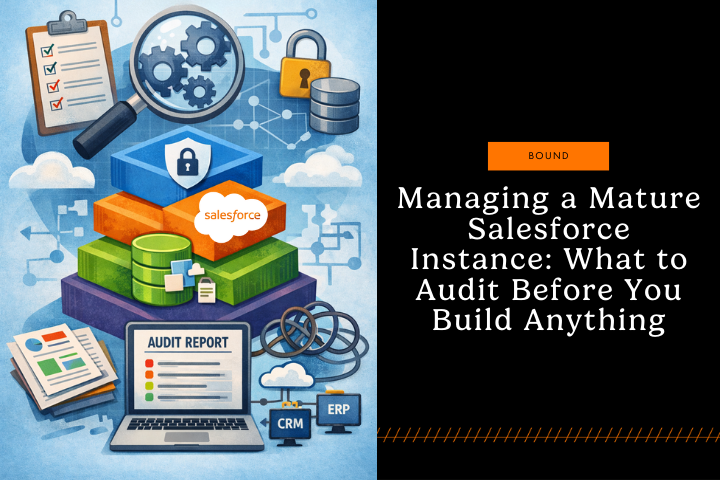
Managing a mature Salesforce instance requires a structured audit before you build anything new. By evaluating critical layers like automation, data quality, and integrations, you prevent conflicting changes. This guide walks through the audits that matter most before you touch configuration, so you don’t build on top of broken processes or “fix” problems that aren’t real.
The 6-Layer Salesforce Audit
Use this framework to keep the audit focused and repeatable:
-
Intent (what Salesforce was designed to do)
-
Constraints (edition, licenses, managed packages, enabled features)
-
Access (sharing, roles, permissions, visibility)
-
Automation (Flow, Apex, validation rules, legacy tools)
-
Data (quality, duplicates, standards, governance)
-
Integrations (systems, sync rules, failures, ownership)
Audit these areas first: documentation, contracts and edition, installed apps and packages, access and sharing, automation layers, user workflows, data quality, and integrations.
Output: a written audit report with gaps, risks, and a prioritized backlog (impact vs. effort).
Gather Existing Salesforce Documentation, Even If It's Outdated
Start by collecting anything that documents how Salesforce is supposed to work:
-
User manuals or training materials
-
Process documentation
-
Field dictionaries
-
Integration documentation
-
Automation overviews
-
Data model diagrams
Even if the documentation is incomplete or outdated, it gives you insight into what was originally intended. Then compare that intent to reality.
In many orgs, there's a significant gap between:
-
What leadership thinks Salesforce does
-
What users think it does
-
What it actually does
That gap is where most “mature org” problems live. Your audit should surface where customizations drifted from their purpose, for example, a field the team relies on that was created for a different process, or a documented workflow that no longer matches day-to-day work.
Audit output: a short “intent vs. reality” summary for each major process (lead to opportunity, case handling, renewals, etc.).
Review Your Contracts, Edition, & Installed Apps
Before touching any configuration, understand the technical and contractual landscape:
-
What Salesforce Edition are you on?
-
What features are enabled?
-
How many licenses do you own vs. actually use?
-
What third-party apps are installed?
-
Are custom objects from managed packages or built internally?
This matters because constraints shape what’s possible. Enterprise vs. Unlimited can change what automation and platform capabilities you can rely on. Installed packages may run critical processes quietly. License mismatches can create access issues that look like “Salesforce is broken.” Managed package objects can also have limits that don’t apply to objects you created yourself.
Audit output: a one-page “constraints map” with edition, license counts, key enabled features, and a list of installed packages with owners.
Audit Salesforce Data Visibility & Access
One of the most common root causes of Salesforce frustration is misaligned access. Your team should review:
-
Org-Wide Defaults
-
Sharing Settings
-
Sharing Rules
-
Role Hierarchy
-
Profile assignments
-
Permission Set usage
When access controls don’t match how teams work, users either hit roadblocks or create workarounds that damage data integrity. An audit often explains why processes break. For example, sales may be blocked from accounts they need, while support may have access to data they shouldn’t.
Audit output: a “who should see what” matrix, plus a short list of the top 5 visibility failures impacting work.
Map Out Existing Automation & Customizations
Mature instances often have layers of automation that have accumulated over time. Make sure to document:
-
Workflows and Process Builder flows
-
Apex triggers and classes
-
Validation rules
-
Field updates and automations
-
Custom page layouts
-
Custom fields and their purposes
Understanding what automation exists, and more importantly, why it exists, prevents you from building duplicate or conflicting automation. Many mature instances have automation that's no longer needed, or that conflicts with newer features like Flows. You might find that three different automations are trying to update the same field, or that a workflow from 2019 is still running even though the process it supported was discontinued.
If your team is logging activities regularly, you may have overlapping automation that needs consolidation. Understanding what's already there saves you from reinventing the wheel.
Audit output: an “automation inventory” that lists each automation, its trigger condition, fields touched, owner, and business purpose.
Fast Diagnostic: Symptoms → Likely Root Cause
|
Symptom (The Pain) |
Likely Root Cause (The Audit Focus) |
|
Fields change “by themselves” |
Overlapping flows, triggers, old workflow rules |
|
Users can’t save records |
Validation rules, required fields, record types |
|
Sales stages are inconsistent |
Picklists, stage definitions, training gaps |
|
Tasks are duplicated |
Automation collisions, managed package behavior |
Develop and Update User Process Documentation
Understanding how your users work within Salesforce is equally important as understanding the technical setup. Developing clear User Process Documentation should be a priority. This documentation should capture:
-
How different teams use Salesforce
-
Key business processes and their Salesforce workflows
-
User roles and their responsibilities within the system
-
Common pain points users experience
-
How data flows through the system
This documentation becomes your roadmap, showing whether issues stem from configuration or training. It also keeps changes tied to real user needs, so you implement features that fit actual workflows and solve problems without creating new ones.
Audit output: short “day in the life” workflows for Sales, Support, and any team that touches revenue or customers.
Identify Data Quality Issues
Before building on top of existing data, assess its quality:
-
Are required fields actually populated?
-
Is data consistent across records?
-
Are there duplicate records?
-
Are picklist values being used correctly?
-
Is historical data accurate?
Poor data quality can undermine even the best configurations. Fix issues early, so they don’t carry into new processes, especially if your org has changed systems without strong governance. You may find messy lead data or years of duplicated account records.
Audit output: a prioritized list of data issues, plus the rules you will enforce going forward (standards, dedupe, required fields, validations).
Review Salesforce Integration Points & Define Source of Truth
If your Salesforce instance connects to other systems, understand:
-
What systems are integrated?
-
How frequently does data sync?
-
What data is being passed between systems?
-
Are there any integration failures or gaps?
-
How dependent are other systems on Salesforce data?
Integration issues often cause confusion about what Salesforce should be doing versus what's happening in connected systems. A clear picture of your integration landscape prevents misdiagnosis of problems. You might think Salesforce isn't working properly when the real issue is that your integration is failing silently.
Audit output: an integration map with owners, sync cadence, objects and fields involved, and monitoring gaps.
Create an Audit Report & Prioritize Improvements
After gathering all this information, synthesize it into a clear audit report that includes:
-
Current state assessment
-
Gaps between intended and actual use
-
Technical debt and outdated configurations
-
Data quality issues
-
Recommended improvements prioritized by impact and effort
A useful audit report makes it easy for leadership to understand tradeoffs and sequencing. It also justifies you to fix foundations before adding new features.
A Simple Prioritization Method That Works
Score each recommendation on:
-
Impact (revenue, cycle time, risk reduction, user adoption)
-
Effort (time, complexity, dependencies)
-
Risk (likelihood of disruption, integration impact)
Then start with high-impact, low-effort items, and schedule high-impact, high-effort work as planned initiatives.
Moving Forward with Confidence
Auditing a mature Salesforce org upfront saves time and prevents costly mistakes. It helps you avoid building on broken processes, adding conflicting automation, or making changes that miss real user needs.
The audit phase isn’t glamorous, but it gives you the context to make smart, intentional decisions. Whether you’re a new admin or stepping into the role from the business side, this foundation keeps you informed of every change.
Need Help Auditing a Mature Org?
If you're managing a mature Salesforce instance and need help with a comprehensive audit or implementation of improvements, Concept's Salesforce Consulting Team can help. We specialize in assessing complex environments and developing strategic roadmaps for optimization. Contact us today to get started.
Partner With Concept
Share your details and our team will reach out to discuss collaboration opportunities