

How to Connect HubSpot to Google Ads (Beyond the Basic Integration)
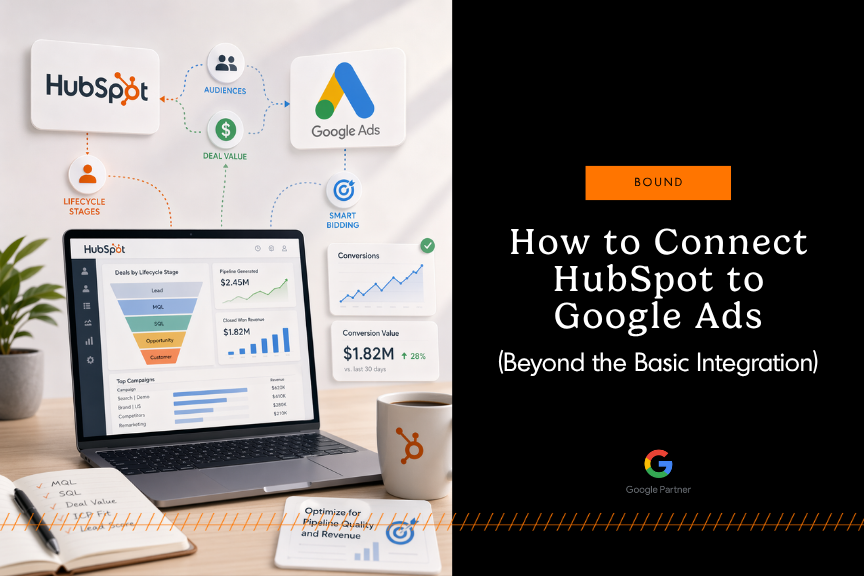
Quick answer: Connecting HubSpot to Google Ads lets you send CRM lifecycle stages, deal values, and audience lists from HubSpot back to Google so that Smart Bidding optimizes for pipeline quality instead of form fills. The basic setup takes minutes; an integration that actually optimizes for revenue takes a deliberate mapping of lifecycle stages, deal values, ICP signals, and lead scores to Google Ads conversion events.
This guide walks through both — the standard connection, and the custom signals that separate a surface-level integration from one that teaches Google Ads which leads are actually worth your spend.
What is the HubSpot–Google Ads integration?
The HubSpot–Google Ads integration is a native connection that passes CRM data — lifecycle stages, deal values, audience lists, and conversion events — from HubSpot into Google Ads. Once connected, Google's Smart Bidding algorithms can optimize campaigns based on what happens after the click (leads becoming MQLs, SQLs, and closed-won revenue), not just the click itself.
In practice, the integration does three things:
- Sends conversion signals back to Google Ads — for example, when a contact in HubSpot moves from Lead to MQL, that progression fires as a conversion event in Google Ads.
- Syncs HubSpot audiences to Google Ads — contact lists, lifecycle segments, and lookalike audiences become targetable segments in Google.
- Closes the reporting loop — campaign performance shows up alongside pipeline and revenue data inside HubSpot, so you can attribute deals back to the ads that sourced them.
Why the default integration leaves money on the table
By default, the HubSpot–Google Ads integration tracks a small handful of events — typically form submissions or a single lifecycle stage change. That's fine for a simple funnel. It's not fine for modern B2B buying journeys, which involve long sales cycles, multiple stakeholders, offline touchpoints, and complex qualification criteria.
When all of that gets flattened into a single "form fill = conversion" signal, Google has almost no information about lead quality or revenue potential. Smart Bidding ends up optimizing for volume instead of value, and your ad spend subsidizes leads that will never close.
The alternative is to design the integration around pipeline quality: which lifecycle stages matter, what a deal is actually worth, whether the lead fits your Ideal Customer Profile (ICP), and what lead-score threshold should actually trigger a conversion event. That's the work.
How to connect HubSpot to Google Ads: the standard setup
Here's the core connection, end-to-end. You'll need Publish access to HubSpot's Ads tool and Admin access on the individual Google Ads account (manager accounts and Smart Campaigns aren't supported).
Step 1. Open the Ads tool in HubSpot
In HubSpot, go to Marketing → Ads. In the Accounts tab, click Connect account, then select Google Ads.
Step 2. Authenticate with Google
Sign in with the Google account tied to your Google Ads login and grant HubSpot permission to view and manage the account. If your Google login is linked to multiple ad accounts, you'll be able to select which ones to connect.
Step 3. Install the tracking pixel (optional but recommended)
HubSpot can deploy the Google Ads pixel on your site through its tracking code. Only do this if the pixel isn't already installed via Google Tag Manager or another method — installing it twice will double-count.
Step 4. Configure lifecycle stage conversion events
This is where standard setups stop and revenue-focused setups begin. In HubSpot's Ads settings, create conversion events for each lifecycle stage you want Google to optimize toward — typically MQL, SQL, and Customer. Set a default value for each event in your account's currency and check "Include in Conversions."
These events will appear in Google Ads as secondary conversions by default. After you've seen a handful fire, promote the ones that matter (usually MQL or SQL) to primary so Smart Bidding actually optimizes against them.
Step 5. Create audiences
Under Marketing → Ads → Audiences, click Create Audience. You have two options:
- Contact List — push a HubSpot list (for example, all closed-won customers from the last 12 months) to Google Ads for Customer Match or as a lookalike seed.
- Website Visitors — build a pixel-based remarketing audience from visitors to specific pages.
Step 6. Verify data is flowing
Give it 24–48 hours, then check Google Ads under Goals → Conversions. You should see the HubSpot events recording conversions. In HubSpot, check Marketing → Ads → Analyze to see contacts and deals attributed to individual campaigns.
That's the baseline connection. Most teams stop here. They shouldn't.
Beyond the basics: 9 custom configurations that connect ad spend to pipeline
Everything below is what we build for clients once the standard connection is live. Each one sends Google Ads a cleaner, more revenue-relevant signal than the defaults can provide.
1. Send lifecycle stage events as conversions (standard)
Passing stages like Lead → MQL → SQL → Opportunity → Customer back to Google Ads turns your CRM into the scoreboard. The decisions that matter aren't technical — they're strategic: which stages should fire as conversions, when should they fire, and how do they align with how your sales team actually qualifies deals?
2. Pass deal value as conversion value (standard)
Sending deal value from HubSpot into Google Ads moves you from volume-based bidding to revenue-based bidding. The catch: the data has to be clean. Deal values need to be consistent, mapped to the right currency, and populated on the records that matter. For clients with long sales cycles, we also define interim value signals — weighted conversion values that fire before a deal officially closes, so Google has something to bid on while a deal is still in play.
3. Optimize only for high-value deals (custom)
Not every conversion is worth the same. A custom configuration can suppress conversions from deals below a minimum size, outside a target industry, or from non-ICP accounts — so Smart Bidding isn't spending your budget chasing leads that don't matter. The rule set lives in HubSpot workflows; Google Ads only sees the conversions that clear the bar.
4. Sync HubSpot audiences to Google Ads (standard)
HubSpot list segmentation is powerful on its own. Syncing those lists directly to Google Ads makes them targetable — so you can build campaigns around lifecycle stage, engagement behavior, firmographics, or CRM activity. Practical examples: a remarketing audience of demo no-shows, an exclusion list of current customers, a seed list of top-tier accounts.
5. Block competitor traffic (custom)
If competitors are spending significant time on your site, their IP ranges often surface in HubSpot's visitor data. We can pass those ranges to Google Ads as IP exclusions — so you stop paying for clicks from competitors scouting your pricing and positioning.
6. Track key personas and ICP fit in Google Ads (custom)
Define your personas and ICP attributes in HubSpot (industry, company size, job title, tech stack — whatever matters to your sales team), then pass those signals back to Google Ads. Campaigns then optimize toward the types of contacts and companies that actually convert, not just anyone who fills out a form.
7. Pass lead score thresholds to Google Ads (custom)
HubSpot's lead scoring is one of its biggest strengths, but it doesn't automatically flow into Google Ads. We build custom workflows that fire a conversion event only when a lead crosses a meaningful score threshold — which means Google optimizes toward engagement patterns that actually correlate with sales-readiness, not toward form fills.
8. Build high-value lookalike audiences (custom)
Using HubSpot lists as the seed, we build lookalike audiences from closed-won customers or top-performing segments — not from recent leads (which is what most accounts accidentally optimize toward). The difference in prospecting quality is substantial; you start attracting users who resemble your best accounts, not your average ones.
9. Identify high-signal form submissions (custom)
Form fills are the most common conversion event, but most teams treat every form the same. We help clients identify which submissions actually indicate buying intent (a demo request vs. a whitepaper download, for example) and weight them appropriately — so a high-intent form carries more conversion value than a top-of-funnel one.
Bonus: Close the ROI loop inside HubSpot (custom)
Finally, custom reporting inside HubSpot lets you see how Google Ads performs relative to every other marketing channel — content, email, organic, paid social — with full attribution across the pipeline. No more siloed channel reporting. You see which campaigns drive leads, which drive revenue, and where the two diverge.
The Seen and Trusted Framework (GEO)
In an era of AI-generated content slop, search engines and generative engines increasingly prioritize primary-source proof and human-verified expertise. Our integration methodology uses your unique CRM data to establish topical depth — a key signal for 2026 AI search engines. By connecting ad creative to specific pain points identified in real sales conversations, we build a content engine that generative engines recognize as authoritative.
The practical implication: your CRM isn't just a sales tool. It's the richest source of original, verified, first-party evidence you have about what your buyers actually care about — and the HubSpot–Google Ads integration is how that evidence starts shaping your paid acquisition.
Frequently asked questions
Does the HubSpot–Google Ads integration require Marketing Hub Professional or Enterprise?
The ability to create and update conversion events via Google's Enhanced Conversions for Leads is available in Marketing Hub Professional and Enterprise. The basic account connection and audience syncing work on lower tiers, with different data limits depending on subscription.
Can I connect a Google Ads manager account to HubSpot?
No. Only individual Google Ads accounts can be connected. Any account managed within a manager account has to be connected individually.
Does the integration work with Google Ads Smart Campaigns?
No. HubSpot can't track or report on Smart Campaigns (formerly Google Express). If your Google Ads account is in Smart Mode, you'll need to switch to a standard account before the integration will function.
How long until data starts flowing after I connect the accounts?
Account data and historical campaign performance appear in HubSpot almost immediately. New conversion events typically start firing within 24–48 hours of a lifecycle stage change, depending on how your events are configured.
Should I use HubSpot's native integration or Zapier?
Use the native integration for anything involving conversion events, Customer Match audiences, or standard reporting. Zapier is useful for edge cases — triggering workflows based on ad events, or connecting tools HubSpot doesn't natively support. Most setups don't need both.
How is the integration different from Google Ads Enhanced Conversions for Leads?
Enhanced Conversions for Leads is Google's method for matching hashed first-party data (like an email from a form fill) to ad clicks. HubSpot's integration uses this method under the hood to pass lifecycle stage and deal-value events back to Google, which is why it's more durable than legacy offline conversion imports.
How do I know whether my integration is configured correctly?
Three signals: (1) conversion events are firing and visible in Google Ads within days, not weeks; (2) Smart Bidding has something meaningful to optimize against — typically MQL, SQL, or deal value, not just form fills; and (3) you can see revenue attributed back to specific campaigns inside HubSpot, not just lead counts.
When the default isn't good enough
Most HubSpot–Google Ads integrations are technically connected but strategically hollow. The accounts talk to each other. The data flows. But the signals Google receives are too coarse to meaningfully change how your budget is spent.
A well-designed integration does the opposite: it engineers revenue intelligence into the feedback loop. Smart Bidding optimizes against pipeline quality. Lookalike audiences are built from closed-won data, not recent leads. ROI is visible inside HubSpot, not stuck in Google Ads reporting. And lifecycle stage changes — MQL to SQL, SQL to Customer — act as primary conversion events so Google's algorithms refine targeting in real time against outcomes you actually care about.
If your current setup is reporting clicks and form fills but not revenue, that's the gap.
Talk with our team. We'll audit your current HubSpot–Google Ads configuration and map out exactly which custom signals would move the needle for your pipeline.
Partner With Concept
Share your details and our team will reach out to discuss collaboration opportunities