

Fake CAPTCHA Scams: How They Install Malware or Trigger SMS Charges
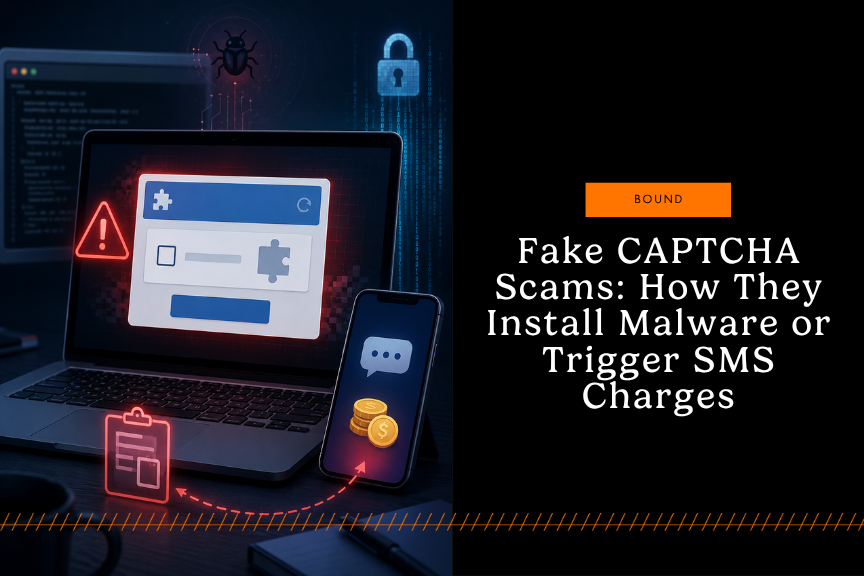
Fake CAPTCHA pages are a fast-growing scam that tricks people into either running malware commands (often via clipboard paste) or sending premium-rate SMS messages that rack up charges. If a “CAPTCHA” asks you to open Run, PowerShell, Terminal, paste from your clipboard, install a file, allow notifications, or text a number, close the tab immediately.
If you’ve been online long enough, you’ve seen “Verify you are human” screens everywhere. That familiarity is exactly what scammers exploit. Today’s fake CAPTCHA pages often look like well-known challenges, including layouts that resemble Cloudflare-style “I’m not a robot” checks, but they are designed to make you do one of two things:
- Run a malicious command that installs malware (often on Windows).
- Send premium-rate SMS messages that create real charges.
Microsoft has described a major variant of this technique as ClickFix, and security researchers have reported large-scale campaigns hitting both consumers and businesses.
What a Real CAPTCHA Asks You to Do
Legitimate CAPTCHA challenges stay inside the browser and keep the action simple. A real CAPTCHA may ask you to:
- Check a box like “I’m not a robot”
- Select images that match a prompt (traffic lights, crosswalks)
- Solve a short puzzle or basic math
- Type characters from a distorted image
A real CAPTCHA never requires system-level actions. If it asks you to open Run, paste commands, install software, or text a phone number, it is not a CAPTCHA. It is a trap.
Real CAPTCHA vs. Fake CAPTCHA: Side-by-Side
|
Action requested |
Real CAPTCHA |
Fake CAPTCHA |
|
Check a box |
✓ |
— |
|
Select images |
✓ |
— |
|
Open Run / PowerShell |
— |
✓ |
|
Paste from clipboard |
— |
✓ |
|
Send a text |
— |
✓ |
|
Install a file |
— |
✓ |
How People Land on Fake CAPTCHA Pages
Fake CAPTCHA pages do not appear by accident. Attackers place them where quick, habitual clicking is common. Typical entry points include:
- Malicious ads that redirect through multiple domains
- Compromised websites with injected scripts
- Fake download pages for popular software
- Streaming and pirated content sites
- Phishing emails with “view document” or “security check” links
- Poisoned search results leading to infected pages
The pattern is consistent: you expect friction, you see a familiar “verification” step, and you comply quickly.
Scam Type 1: The Malware Fake CAPTCHA (ClickFix and Clipboard Pasting)
This is the version that causes the most damage in business environments because it turns the user into the installer.
A malware fake CAPTCHA may instruct you to:
- Press Windows + R (Run dialog)
- Paste content from your clipboard using Ctrl + V
- Press Enter to execute
- Paste a command into PowerShell, Terminal, or Command Prompt
- Allow browser notifications
- Download a “verification” file
Why It Works
Many campaigns use clipboard hijacking: the page quietly places a command onto your clipboard, then tells you to paste it. You think you are completing verification. In reality, you are executing an attacker-controlled command.
What Gets Stolen
Once installed, common payloads include infostealers and remote-access tools that can target:
- Browser-saved passwords and credentials
- Session cookies that allow account access without a password
- Email logins (including business email)
- Banking and payment credentials
- Crypto wallet data
- Screenshots and device details
- Work credentials and internal access tokens
For businesses, the risk is not limited to a single endpoint. Stolen sessions and credentials can become a doorway into email, SaaS tools, and internal systems.
Scam Type 2: The Premium SMS Fake CAPTCHA
Not every fake CAPTCHA is malware-based. Some are designed to monetize immediately through phone charges.
These pages claim you must “confirm you’re human” by sending a text message. Research teams have documented campaigns routing victims to international premium-rate numbers, sometimes triggering multiple texts across multiple destinations. The result can be unexpected charges per victim, and for organizations, a messy blend of financial loss and security exposure if affected devices are also tied to work accounts.
Red Flags: How to Spot a Fake CAPTCHA in Seconds
Close the tab if the page asks you to do any of the following:
- Send a text message to “verify”
- Open Run, PowerShell, Terminal, or Command Prompt
- Paste anything from your clipboard as part of “verification”
- Download or install a “verification” file
- Enable browser notifications to proceed
- Disable security software
- Log in again without a clear reason, especially right after loading a page
Rule that catches almost every case: If a CAPTCHA asks you to leave the browser or use your keyboard to run commands, it is fake.
What to Do If You Encounter a Fake CAPTCHA
Immediately (first 2 minutes)
- Close the tab (do not interact further).
- Clear your clipboard (copy any harmless text to overwrite it).
- Do not allow notifications if prompted.
Within the next few hours
- Run a full antivirus scan (not a quick scan).
- Check browser notification permissions and remove unknown sites.
- Review key accounts for suspicious activity:
- Banking
- Password manager
- Crypto wallets (if applicable)
If you pasted or ran a command
- Disconnect from the network if possible (Wi-Fi off or unplug Ethernet).
- From a clean device, change passwords for:
- Email accounts
- Password manager
- Banking and finance tools
- Work accounts and admin tools
- Enable MFA wherever possible (especially email and SSO).
- Notify IT or your security team and preserve details:
- URL you visited
- Time and date
- Screenshot of the prompt (if safe and already captured)
- Any commands shown (do not rerun them)
Protecting Your Business from CAPTCHA Scams
For teams and businesses, the risk is particularly high because this scam bypasses traditional security training. Employees are taught not to download suspicious files, but this attack asks them to manually run commands. They're performing the malicious action themselves, which makes it harder to prevent.
Useful controls include:
- Block PowerShell or script execution for non-technical users
- Deploy endpoint detection and response (EDR) tools
- Restrict clipboard-based command execution where possible
- Train employees that CAPTCHA never requires keyboard commands
- Block known malicious ad networks and suspicious redirect domains
- Monitor unusual outbound connections after browser activity
The most effective defense is awareness. When your team understands how these scams work, they're less likely to fall for them.
Bottom Line
Fake CAPTCHA scams succeed because they borrow trust from something we all treat as routine. Remember the simplest rule:
A CAPTCHA should never ask you to paste commands, send texts, install files, or allow notifications. If it does, close the tab and treat the device as potentially exposed.
FAQs About Fake CAPTCHA Scams
What is a fake CAPTCHA scam?
A fake CAPTCHA scam is a malicious web page that imitates a real human-verification check to trick you into running malware commands or sending premium-rate SMS messages that cause charges.
How can I tell if a CAPTCHA is real?
A real CAPTCHA stays in the browser and asks simple actions like checking a box, selecting images, or solving a small puzzle. It never asks you to open Run, PowerShell, Terminal, paste clipboard content, download files, or text a number.
What should I do if I pasted a command from a CAPTCHA page?
Disconnect from the network, run a full antivirus scan, change passwords from a clean device, enable MFA, and notify your IT or security team. Treat the device as compromised until proven otherwise.
Can fake CAPTCHA pages affect businesses?
Yes. They can steal employee credentials, session cookies, and email access, which can lead to account takeover, data exposure, and broader network intrusion.
For more information on protecting your devices and networks, Microsoft's security blog has a detailed analysis of ClickFix and other social engineering techniques. Your security team can also help implement the controls mentioned above to reduce risk across your organization.
These scams work because they exploit familiar patterns of trust. The reverse is also true for your own brand; every layer of your marketing infrastructure, from your website to your tracking to your content, is either reinforcing or eroding that trust. If you'd rather work with a long-term partner than stitch together a stack of one-off vendors, Concept's full-service marketing agency services bring strategy, technical implementation, and execution under one roof.
Partner With Concept
Share your details and our team will reach out to discuss collaboration opportunities